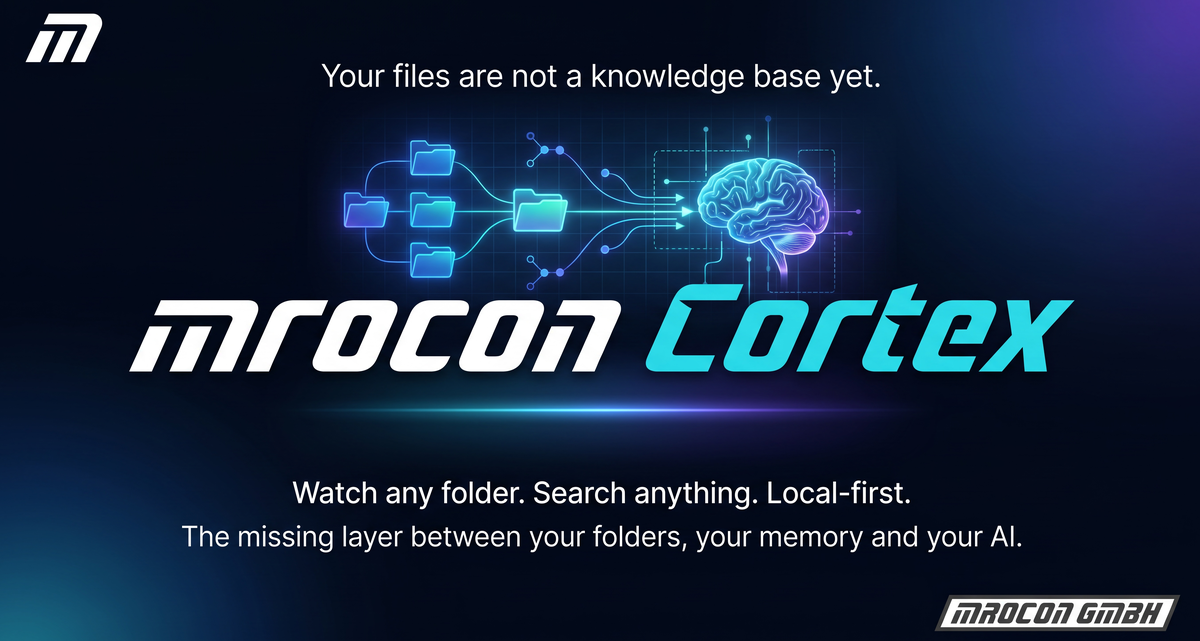
Just under nine minutes on why "AI on your data" tools often get the design wrong — and what Cortex does differently. Local-first, BYOK, no surprises.

Cortex is the missing layer between your folders, your memory and your AI. You pick real folders — local or on the network — and Cortex makes their content searchable: text, Office documents and even image content. In milliseconds, by meaning rather than just by wording.
And local-first: indexing and search run on your machine, with no forced cloud. Sensitive directories go into the Area-51 vault, which stays strictly local by design. No vendor lock-in, no forced upload, no hidden token bills.
Pick the local or network-drive folders that belong to your knowledge — any number, any size. Cortex builds the initial index and keeps it current via Indexer and Watchdog. No cloud upload, everything stays on your machine.
Full-text (FTS5) plus semantic embeddings plus metadata — combined via Reciprocal Rank Fusion. Ask in natural language: "Which client asked about a GDPR audit in 2024?" And check every hit against its path, preview and context instead of trusting a black box.
The Personal edition runs locally — a dedicated GPU accelerates, CPU-only stays fully supported. Sensitive content goes into Area-51: a separate, restricted vault with its own security boundary, structurally cloud-forbidden.
The file is called IMG_20231007_4471.jpg. But honestly —
who remembers that? You don't know its name, not whether it's a JPG, PNG or TIFF,
and which folder it is buried in least of all. You know exactly one thing:
there was something with sun.
So you type "sun". And Cortex delivers:
In short: you no longer need to know where something is. You only need to remember that it exists.
The local search engine with HTTP API (127.0.0.1:8765): retrieval, vector store, admin, health. The brain.
Local model runtime for embeddings and — where configured — image captioning. Understands meaning and image content.
Turns your watch folders into a searchable, always-current corpus. Feeds the brain.
Keeps the runtime reliably alive across logon and restarts. The "install & forget".
Your workspace for search, sources, curation and health. The human face of the system.
Separate, restricted vault for sensitive content — its own database, its own boundary, structurally cloud-forbidden.
AgentBrain thinks · Ollama understands · Indexer feeds · Watchdog keeps alive · Web-UI is the face.
Every service is individually visible — Cortex never pretends it worked when a component is missing.
Plain-text search, document and image viewer, Curator, Health, watch-folder management and Area-51. It shows not just results but also runtime state and provenance — keyboard-first and accountable.
MCP-capable agents (Cursor, Claude Desktop, VS Code & co.) work structurally with the same corpus — no browser, no UI automation. MCP does not replace the Web-UI: people search in plain text, agents dock in directly. One knowledge base, two doors.
Client files, contracts, correspondence — searchable by content and context, not just by filename. Sensitive client folders stay in the Area-51 vault, everything else benefits from faster research.
PDFs, notes, research dumps — semantic search across years of material. Ask for concepts, not keywords. Your second brain that forgets nothing and sends nothing to third parties.
Source trees, architecture docs, decision records, old Slack exports — Cortex finds the context you only vaguely remember. All local, even when your repo is under NDA.
Lifetime licenses for the single seat — one, three or five devices. All local, no subscription trap.
For one person, one device:
For small teams & power users:
Five independent workstations:
Central on the network — one server-bound full version + browser thin clients on the LAN. The "server" can be an ordinary Windows PC.
Small team, one knowledge base:
Growing organization:
Largest standard tier:
Your lifetime license runs forever — if you want new versions, you renew optionally per year.
All prices net plus applicable VAT. Lifetime license incl. 12 months of updates; optional update renewal in the mrocon portal.
Enter your email — we'll send you the download link for the 14-day trial version. No credit card, no automatic subscription. After 14 days the trial simply expires.
No, not without your explicit consent. Cortex runs locally by default. If you want to use cloud LLMs (OpenAI, Anthropic, Voyage) for embeddings or answers, ONLY the text snippets you release go to the respective provider. Folders in the Area-51 vault are hard-coded local-only and ignore the global cloud setting.
Local: Ollama, LM Studio, llama.cpp, vLLM & co. (all GGUF models — e.g. Qwen3, Gemma 3, DeepSeek, Llama). Cloud (optional): OpenAI, Anthropic (Claude), Voyage & Mistral for embeddings. Bring your own means: any OpenAI-compatible endpoint works — Cortex is model-agnostic.
Windows Search and Everything find files by name and path. Cortex finds them by meaning. Ask "which file describes our GDPR audit procedure from 2024" — Cortex pulls out the right PDFs, even when neither "GDPR" nor "audit" appear in the filename.
No. Cortex is explicitly designed local-first. With a 7B or 13B model on Ollama you get usable embeddings without a cent of cloud cost. Cloud LLMs are optional and only used when you actively configure them.
Yes. The 14-day trial includes the full feature set. You don't need to create a Stripe account or take out a subscription — just enter your email, get the download link, install. After 14 days the trial simply expires; an order can follow.
Yes. Indexing and search work fully CPU-only — CPU-only is a full, supported operating case. A GPU only accelerates larger local models. Without one, use a smaller model or optionally add a cloud engine. Details in the hardware overview in the "For IT-savvy people & developers" section.
Cortex is local-first: indexing and search run on your machine, with no forced cloud. Sensitive directories go into the Area-51 vault — which is structurally cloud-forbidden and never leaves your machine. Cloud engines are purely optional and only active when you explicitly configure them.
Yes. Personal (standalone installs) and Corporate (central server/client network) are separate editions for different setups. Switching is possible at any time — just write to us and we'll fairly credit your existing license.
No. For Corporate an ordinary Windows 11 PC is enough as the "server" — it runs the backend (index, AI, watcher), the thin clients connect via browser on the LAN. No Windows Server operating system, no per-workstation installation needed.
Every lifetime license includes 12 months of updates. After that the app keeps running indefinitely — you just get no new versions. If you want more updates, you take out a low-cost update subscription in the mrocon portal (pausable or cancelable anytime):
Plannable per retainer. Scalable with automation and YouTube workflows.
Personal 1:1 sessions without pressure & without jargon — Quick Start · Clarity · Deep Dive.
Audit, workflow, pipeline/QA & publishing flow — with Niche Revealer and Video Release Mixer.